Onsite Deployment Plan Generator
The document an engineer takes to a customer site, and the application that produces it
The onsite deployment plan was my idea, put in place while I was standing up the Solutions Delivery organization. I had done the installation job myself and watched the gap for years, so I knew what the field needed: one document telling an engineer what they were installing, configured how, at which customer.
I wrote the templates first, one per product. Tier 3 compiled them by hand from the statement of work and the site survey, and the owning support engineer reviewed each one for accuracy. That version worked well. Implementation engineers and customers both responded to it, and the standard held.
It also took time. Support engineers were spending hours on assembly when the part that made the document trustworthy was the technical review. The manual version had already proven the value, so automating it was an easy case to make.
How it works
A solutions architect writes the statement of work. That document runs through an enterprise LLM, which interprets the solution configuration and produces JSON. The application takes the JSON and generates the deployment plan.
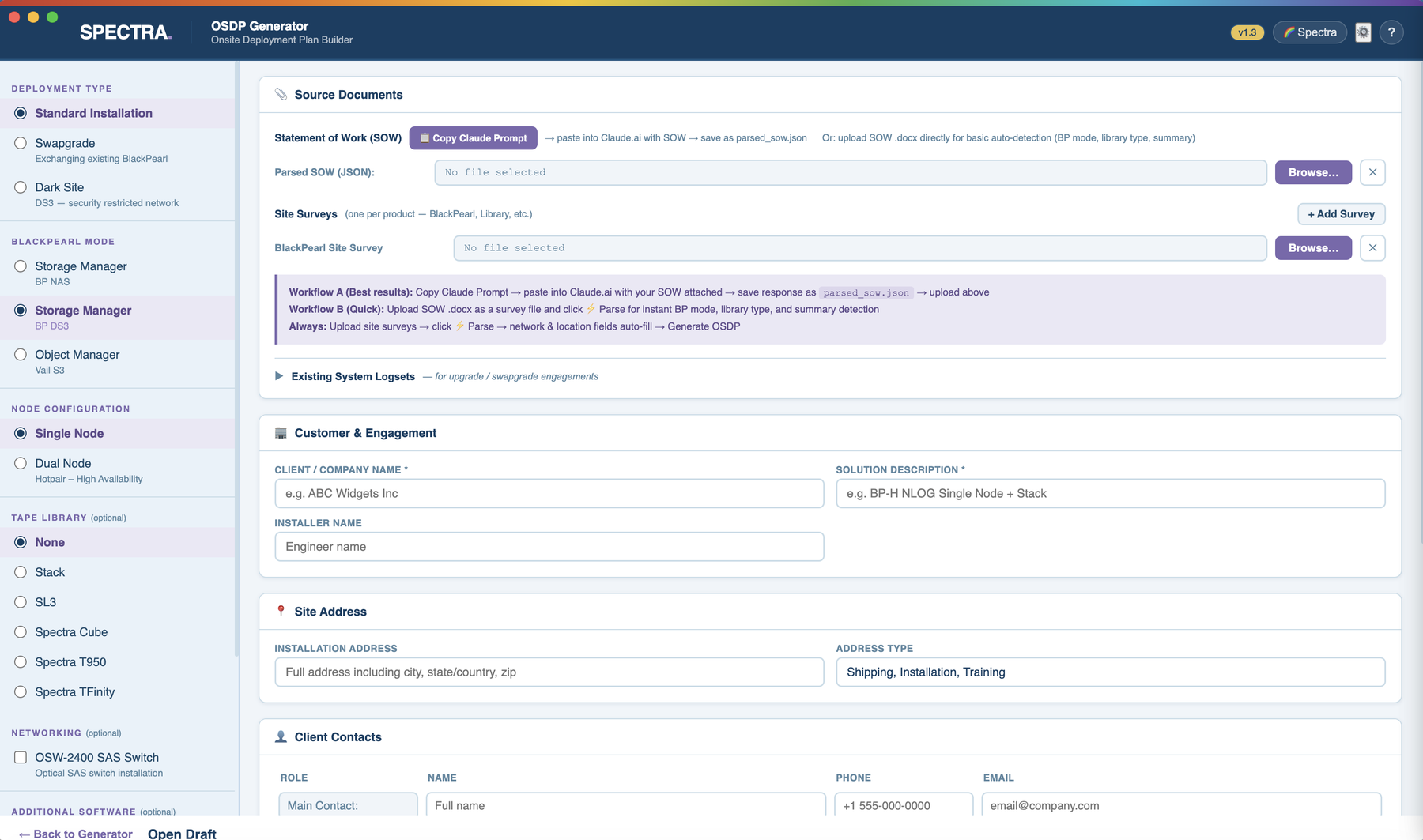
The generator itself is Electron on Node, using the docx library to produce an actual Word file. Step content lives in a folder on a team-managed server, so engineers point at it once and the library stays current without a new build going out every time the content changes. Like the other two projects, I built it with Claude and Claude Code, and it went through several releases as the workflow around it grew.
The collaboration layer came later. Once the generation side was working I could see an opening to bring the implementation engineers and solutions architects into the same document instead of handing them a finished file. That became a draft workflow: a generated draft, a session file, a review screen with field-by-field editing and auto-save, and a shared drafts and finals folder with connectivity indicators.
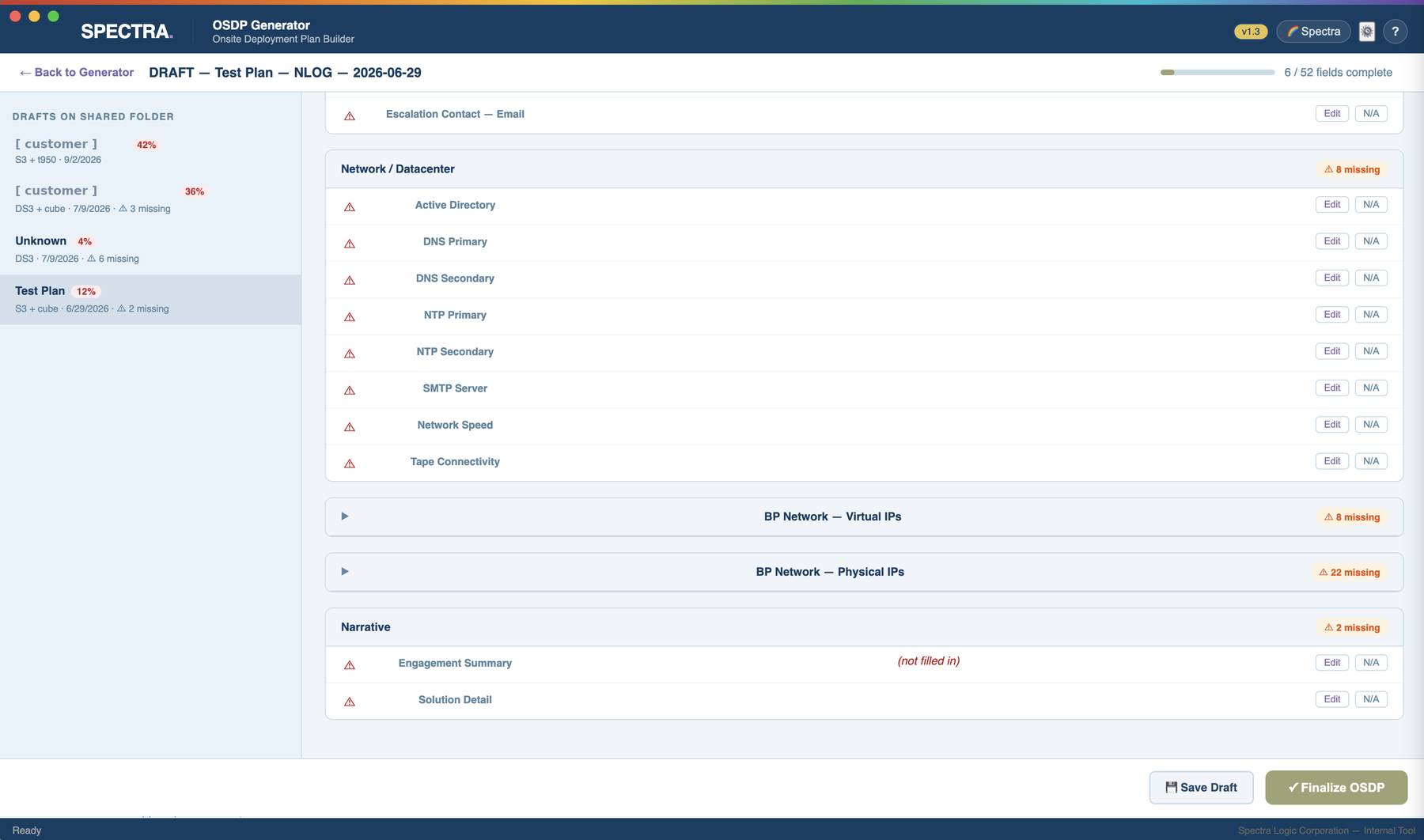
One rule sits in the finalize step instead of in a process document. However many people touched a plan along the way, Tier 3 owns the accuracy of the finished version, and finalizing requires them to confirm it.
Where it stands
All nine of our support engineers use it to generate and review plans. Seven implementation engineers receive those plans and can contribute to drafts. The path for solutions architects exists but hasn't seen much use yet. It runs on both Mac and Windows, which meant solving macOS Gatekeeper by self-signing and packaging as a DMG.
What's next
Nothing, deliberately. Version 1.3 shipped complete and stable and I want it to stay that way. A 1.4 baseline exists with two small fixes and no features scoped against it, because a tool this many people depend on is worth more to them stable than improved.